Hyprobulksms

Showing posts with label Blogging Tips. Show all posts

Why use URL shorteners?

By: Julian Moss

URL stands for Uniform Resource Locator. It's the posh technical term for a web address. Web addresses normally take the form http://www.somesite.com/somepage.html, which is not too much of a problem. But some site names can get very long, and so can page names. The increased use of database-driven sites mean that URLs can get very long indeed, and most of them is computer gobbledygook. They are impossible to type in, if you are reading them in a print article, and often get corrupted by word-wrapping when they appear in an email or blog posting.


You must have seen them. Web addresses like http://tinyurl.com/2gj2z3 which, when you click on them, take you to another web page. Why use them? Are there any risks in using them?

An URL shortener is a web service that takes a long address that's hard to type, and turns it into a short one. You should use them in articles for print publication, classified ads, emails, blog and forum postings, anywhere there is a danger that the full address may be corrupted, or that someone may need to type the address into a browser manually.

But there is a danger in using short URLs that may make people afraid to use them. The short address disguises the real destination. This makes it easy for somebody to post an innocent looking message encouraging people to click on a link that takes them to a site which infects their computer with spyware, or something equally undesirable.

Some URL shortening services have tried to address this problem. The most well-known service, TinyURL.com, has an optional preview page that shows you the target address before you go there. But you have to know to type "preview" in front of the address, or visit the site and set it as a permanent option. Those who don't know about this are still vulnerable to deception.

A safe URL shortener would not allow the creation of links to undesirable sites. It would also always display a preview page, so the user always sees where the link is taking them before they go there. xaddr.com uses Internet blacklists to prevent its use to disguise sites that are advertised by spam. Its preview page offers a link to McAfee's Site Advisor, which can be used to check the safety of the destination.

Next time you need to write a long web address, use an URL shortener. But to encourage confidence that no harm will come from clicking the link, pick a safe one.

Continue Reading...

Add Peel Effect Into Your Blog


You wouldn't be know how effectively change the appearance of your blog by adding "peel effect" in you blog. I used to find best one for long time, but this one really worked and it suits for all theme as well.

You can now implement this feature by following simple tutorial as always.

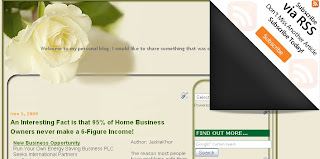
Now you can create a professional "peel effect" in your blog. You can see below image how that actually looks like..

This is the "Peel effect will looks like... (click picture to see the real view)


To enable this feature to your blog, you need to add two codes in your template.

Go to your blogger Dashboard, click Layout tab and then click "Edit HTML" tab.

Insert the following codes under <head> section of your template
<style type='text/css'>
img { behavior: url(iepngfix.htc) }
#pageflip {
position: relative;
right: 0; top: 0;
float: right;
}
#pageflip img {
width: 50px; height: 52px;
z-index: 99;
position: absolute;
right: 0; top: 0;
-ms-interpolation-mode: bicubic;
}
#pageflip .msg_block {
width: 50px; height: 50px;
overflow: hidden;
position: absolute;
right: 0; top: 0;
background: url(http://www.wallheaven.com/subscribe.png) no-repeat right top;
}
</style>
<script src='http://code.jquery.com/jquery-latest.js' type='text/javascript'/>
<script type='text/javascript'>
$(document).ready(function(){
//Page Flip on hover
$("#pageflip").hover(function() {
$("#pageflip img , .msg_block").stop()
.animate({
width: '307px',
height: '319px'
}, 500);
} , function() {
$("#pageflip img").stop()
.animate({
width: '50px',
height: '52px'
}, 220);
$(".msg_block").stop()
.animate({
width: '50px',
height: '50px'
}, 200);
});
});
</script>
After you implemented above codes into your template, you need to add another code into template at <body> section.
<div id='pageflip'>
<a href='http://feeds.feedburner.com/blogspot/nPSr'><img alt='' src='http://www.wallheaven.com/page_flip.png'/></a>
<div class='msg_block'></div>
</div>
Finally, save your template and peel effect will appear in the top right corner section of your template

Continue Reading...

Improve SEO Using 'Title' Tags


Search Engine optimization (SEO) is the process of improving the volume or quality of traffic to a website from search engines.  Typically, the earlier a site appears in the search results list, the more visitors it will receive from the search engine.  SEO may target different kinds of search, including image search, local search and imdustry-specific vertical search engines.

Until now, the Title Tags generated for each page of your blog would display the blog title first, then the name of your post, this made keywords from your posts titles appear after your blog title.  To get rid of this problem and improve SEO, just follow the steps below:
  1. Go to Layout --> then Edit HTML
  2. Search this code <title><data:blog.pageTitle/></title>
  3. Just replace the above searched code with the following code: 
<b:if cond='data:blog.pageType == "index"'>
<title><data:blog.title/></title>
<b:else/>
<title><data:blog.pageName/></title>
</b:if>    
     4. Finally, save your template.

Continue Reading...

Change The Title Tags in Blogger For More Search Engine Traffic

By default Blogger displays the 'blog title' first, followed by the 'name of the post'. As you might notice this is not good when it comes to SEO. It's important for the name of the post to come before the name of your blog, especially when it comes to google search results. Learn how to 'make your post title show up first' so that you can reel in more traffic from the search engines.

Why Change The Titles?
It's quite important to have the 'Post Title + Blog Title' arranged accordingly because this is how you would want your blog to be displayed on google's search results. This way more people will click on your link when searching google because the post title is more relevant than your post name.

Example Google Search Results:
You are most likely to click on the bottom image when searching google for the keywords 'image reflection generator'. The reason being is that your mind reads text from 'left to right'. So it makes sense to have the more important title on the left.


How To Change The Titles:
  1. -Go to Layout->edit HTML in your Blogger dashboard.
  2. -Search for this tag: <title><data:blog.pageTitle/></title>
  3. -Replace this tag with the following code:
    <b:if cond='data:blog.pageType == "index"'>
    <title><data:blog.title/></title>
    <b:else/>
    <title><data:blog.pageName/> | <data:blog.title/></title>
    </b:if>
  4. -See your template and you should see the results in your web browser as depicted in the images below.
  5. It may take a few days for the changes to show up on the google search results. I guarantee you that    you will start receiving more traffic from google once you are -re-indexed!


Good Luck!!!

Resource: http://widgetsforfree.blogspot.com

Continue Reading...

Change 'Older Post' Page Navigation Links

How to change the 'Older Posts' and 'Newer Posts' links on your blogger blog, follow the following steps:

1.  Log-in to Blogger and go to your Dashboard.
2.  Navigate to Layout >> Edit HTML
3.  Expand Widget Templates by checking the box next to it.
4.  Now search for the below codes in your template.
expr:title=’data:newerPageTitle’><data:newerPageTitle/></a>
expr:title=’data:olderPageTitle’><data:olderPageTitle/></a>
<a class=’home-link’ expr:href=’data:blog.homepageUrl’><data:homeMsg/></a>
<a class=’home-link’ expr:href=’data:blog.homepageUrl’><data:homeMsg/></a> 
5. The above codes written in bold and red letters display their corresponding links.
  • <data:newerPageTitle/> displays Newer Posts in your template.
  • <data:olderPageTitle/> displays Older Posts in your template.
  • <data:homeMsg/> displays Home in your template.
6. You can change those codes to any name. And those names will appear on your blog footer in stead of those default links.

Below I’ve edited the above code to display Previous, Next Page and Home on your template. Have a look on it.
expr:title=’data:newerPageTitle’>Next Page</a>
expr:title=’data:olderPageTitle’>Previous</a>
<a class=’home-link’ expr:href=’data:blog.homepageUrl’>Home</a>
<a class=’home-link’ expr:href=’data:blog.homepageUrl’>Home</a>  
The above code will make your navigation link look like the below screenshot.

newer posts older posts blogger

You can keep any name there. But remember to keep a relative name, or else that might create more confusion. The above blogger tutorial tells you the procedures to change the “Older Posts” and “Newer Posts” navigation links from the footer and keep something cool. Good luck!
Resource: http://www.solidblogger.com

Continue Reading...

10 Blogging Mistakes / Why Your Blog Struggles

Today while I'm clicking some of blogs/websites, I found this interesting articles. So it's good for me to share it with you all, hopefully it will improves our blog performances. Good luck and keep up a good work !!!

1. Hopelessly Devoted To You

It doesn’t really matter the event: golfing, dancing, chess or blogging. If you want to find success you have to be devoted. Tiger Woods has said that he often hits a thousand balls at the driving range a day. Folks, that’s devotion!

There’s no doubt about it, lack of dedication is the number one reason for struggling blogs. How many hours do you devote to your blog a day?

2. Going Solo

Did we learn nothing from Roger Waters or David Lee Roth?! Sometimes going solo is not a wise choice.

If your blog is of the more personal nature where you show off family pictures and give your opinions of movies then it makes sense that you would go it alone. However, if you are taking on a more commercial subject you may be kidding yourself trying to do an adequate job alone.

You may need to put your pride in check and get some help. This blog was created to provide webmasters with information on all aspects of the web including: design, development and promotion. That’s a huge task! The best move I made was bringing in others that specialized in areas where I was weak.

According to Technorati, there are over 175,000 new blogs every day. It’s a saturated field and it’s only getting worse. It’s my opinion that the blogs of the future are going to be run by teams, not individuals.

Yes, I am aware there are some highly successful blogs out there run by individuals, but people like Guy Kawaski, John Battelle, Darren Rowse and Brian Clark are rare; these guys are pioneers. It’s not that it can’t be done, but the odds of long-term success are lower.

Also, remember what we talked about with devotion? Having a team can help you pick up the slack. Together we stand — divided we fall.

3. You Gotta Serve Someone

Who knew that when Bob Dylan said, “You gotta serve someone” he would be giving such great blogging advice? Who is your blog serving? Really, if you struggle to answer the question then I’m betting your blog also struggles.

If you can fill a niche or solve a problem, people will beat a path to your door and hold it open for others!

4. It’s Not About the Money

Whenever they say, “It’s not about the money” – it’s about the money!

Far too often people start blogs simply for the monetary gain. When it comes to blogging, I don’t think money is a good motivator. I think that if you lack passion for what you’re talking about your viewers will notice. Intrinsic motivation is always stronger than extrinsic motivation.

Don’t get me wrong – making money from your blog is not a bad thing, but if that is your sole motivation I don’t see your blog standing the test of time.

I would also caution you on using Adsense on your blog. I agree with Rand Fishkin when he says:

“I hate AdSense on blogs. Usually, I ignore it, but I also cast a sharp eye towards the quality of the posts and professionalism of the content when I see AdSense. That’s not to say that contextual advertising can’t work well in some blogs, but it needs to be well integrated into the design and layout to help defer criticism. Don’t get me wrong – it’s unfair to judge a blog by its cover (or, in this case, its ads), but spend a lot of time surfing blogs and you’ll have the same impression – low quality blogs run AdSense and many high quality ones don’t. I always recommend that whether personal or professional, you wait until your blog has achieved a level of success before you start advertising. Ads, whether they’re sponsorships, banners, contextual or other, tend to have a direct, negative impact on the number of readers who subscribe, add to favorites and link – you definitely don’t want that limitation while you’re still trying to get established.” [1]

5. The Bandwagon Is Not a Good Ride

You might be tempted to post that big industry news story on your blog because it fits in so well with your blog’s subject, but I would caution you on that. Unless you can add something to the story I’m not so sure I would post it. Nobody wants a dozen stories about Apple’s iPhone or whatever the hot news is in their RSS reader — especially ones that say the same thing as the first entry they already read. This can get people to unsubscribe to your feed — not good.

It’s been said before and it will be said again — there is no substitute for well written original content. To quote Seth Godin, “Cover bands don’t change the world…”

6. Give The People What They Want

The beauty of the internet is the ability to track everything in real time. Using tools (often free) like Google Analytics you can see things like: how many visitors your site received, which pages of your site are the most popular and the average time spent at your site. You can also see things like what your viewers searched for within the search engines; how many pages on average your viewers read on your site; how much time they actually invested in your site, and whether or not they are a new visitor or a loyal reader. Simply put, you can know your visitors — what they like most — and give it to them. Any other medium: TV, radio or newspapers would kill for that type of information available to them via a handful of mouse clicks. Make sure you are using it!

I think the article How to Promote Your Blog may also be worth reading on this issue.

7. Prune Your Website

When you prune plants you cut back parts of the plant to better shape it and improve fruiting. Your website should see a considerable amount of pruning too. One of the more powerful features of a website is the ability to rapidly change something that isn’t working. As we already talked about in point six, we have the ability to track everything and know if something is not making conversions.

You wouldn’t or at least shouldn’t leave dead parts of a plant still attached, they should be cut back to allow the parts that are still alive to thrive. The same is true for your website; either fix or remove what isn’t working so that the parts that are can thrive.

I will expand on this point in a future post…

8. Use An Editor

Find yourself an editor – anybody – just get one! An editor is someone who will look over your post before it goes to publication.

A good editor will find and fix punctuation, spelling and grammatical mistakes. They can tell you if something doesn’t make sense, if you need a better transition, if you should restructure a sentence or cut away an entire paragraph that’s deemed unnecessary or if you are being too braggadocious and need to tone it down. Simply put, they can clean up your post and improve upon them greatly.

It doesn’t matter if the editor is your wife or a friend; they can help! Of course you, the author, should be the first editor, but you should not be the only editor. Editing your own work is most difficult. This is because the mind can trick you! When you read over your own work the mind fills in the gaps for you. This is because in your mind you know exactly what it’s supposed to say, regardless of what it really says. So when someone else reads it – anybody else – they don’t have that problem and can see the mistakes.

An editor can mean all the difference in the world…

9. RSS Feeds

I have talked about the significance of RSS feeds on this Blog Critique post and the WordPress – From Install to Pimped Out post before. So let me summarize the key points here.

Thanks to RSS and feed readers it’s become common-place that your blog’s content gets read from a source other than your website. Because of this, you should optimize your feeds. Here are my recommendations:

  • Some people estimate that half their bandwidth goes to RSS feeds. Let FeedBurner take the hit for you by offloading your feeds to FeedBurner. Try the FeedBurner Feed Replacement plugin. This plugin will detect all ways to access your feed and redirect them to FeedBurner so you can track every possible subscriber.
  • Enable FeedBurner’s FeedFlare feature – It’s located under the Optimize tab once logged into FeedBurner. FeedFlare allows you to place a footer at the bottom of each post with such choices as to Digg this post or to add to Technorati or del.icio.us. FeedFlare is certainly worth checking out.
  • In the WordPress Admin Panel, under Options – Reading, make sure the ‘Full text’ radio button for Feed Syndication is ticked.
10. Post Titles = Title Tags

The rookie blogger will often times create snappy post titles that are fun and humorous to humans. But, after the post is off the front-page and well into the archives the best chance it may get of being read is from the search engines.

Because of the significance of title tags on search engines one must be mindful when selecting a title for each post. This is not to say that you should neglect your human viewers in order to please a bot; never do that. A balance must be struck.

The next time you are thinking about titling a post think about the keywords that may be used in the search engines later to find it. Then try to create a title that’s still pleasing and appropriate to humans, but also includes keywords for the search engines.

For further reading on the importance of Title tags read “Title Tags – A Search Engine Optimization Cornerstone.”

If you have a blog that is struggling, try implementing some of the suggestions given and hopefully you’ll start seeing it spring back to life.

From http://www.search-this.com

Continue Reading...

'Read More' With or Without Button in Blogspot

1. Login to your blogger.com Dasboard, click Layout -> Edit HTML -> check the “Expand Widget Template” menu.

2. Find this code,
</head>
Then, put this following code precisely above it,
  
<style> <b:if cond='data:blog.pageType == "item"'>  span.fullpost {display:inline;}  <b:else/>  span.fullpost {display:none;}  </b:if>  </style>

3. Find this code,
<p><data:post.body/></p>
and put the following code after or below it,
<b:if cond='data:blog.pageType != "item"'>
<a expr:href='data:post.url'> Read More..</a>
</b:if>

You can replace 'Read More' with any words you like.  Use the following code if you want to replace 'Read More' with an image or button.  To create your own design of button, just go to http://cooltext.com or http://supalogo.com then save it to http://www.photobucket.com, change those in reds with your own image url.   

<b:if cond='data:blog.pageType != "item"'>
<a expr:href='data:post.url'><div style='text-align: right;'><img src='http://i446.photobucket.com/albums/qq187/sabrinasigar/cooltext433674197.png'/></div></a>
</b:if>

4. Then save you template.

5. Go To Settings -> Formatting, scroll down to the bottom of the page put the following code at the vacant space beside “Post Template”:

<span class="fullpost">
</span>

6. Click “Save Settings”. That's it, you're Done!!!.

Whenever you want to write an article, make sure you click the “Edit HTML”, not the “Compose”. You will see in the posting box this following code (in blue):

Put the paragraph you want to show here <span class="fullpost"> Put the rest entry in here </span>

Hope you like this tips, keep up a good work!!!

Continue Reading...

Promote Your Blog through RssHugger

What is rssHugger?
rssHugger is a new website developed to help bloggers promote their blogs, and to help visitors discover new blogs that write about subjects that the readers are interested in. Through the power of the internet and viral marketing, rssHugger looks to bring blog writers and blog readers closer together.

If you own a blog, you can get your own page on rssHugger for 10 years for giving an honest review of the site on your blog. If you want to join rssHugger but do not want to review our site, you can pay a one time review fee of $20. rssHugger will be the first ever quality, spam free, and viral rss directory strictly for bloggers.

This great tool that was highly recommended by almost all blogger that has a high traffic and high page ranking. I would recommend  serious blogger take a serious look to this program because if this program was a success to all who use this program then you have no reason not to be a part of this program.

Continue Reading...

You Can Make A Great Blog Too

Here are some tips to make a great blog. They have been proven effective in bringing in the traffic and sales using your blog.
  • Blog must be clearly understood by visitors - It is strongly advised that your blog can be clearly understood by visitors. This means you need to aptly describe your blog and make it relevant to your target audience. When you use tags, ensure they are of relevance to your posts. Provide a clear and correct revelation of your blog to visitors.
  • Blog must have good content - If you want visitors to return to your blog for more information, you need to provide them with the best content. The content must be of quality, have substance, and always be latest. Your readers would be most appreciative of great content.
  • Blog must be indexed - One of the more important tips to make a great blog is to get your blog indexed by search engines such as Google. You can use use Technorati and Blogwise. Your blog needs to be noticed on the internet by others. Indexing your blog will make your blog visible.
  • Your blog posts must be made known - It is important to “ping” your posts in your blog once each post is published. This process will help send your posts to thousands of readers. You can use Ping-O-Matic to ping your posts. It is extremely easy and convenient.
  • Important to exchange links - It is recommended for you to exchange links with other blogs on related topics.  This linking process can bring you increase in traffic. Your blog can get increase in search engine ranking when incoming links to your blog have higher traffic than yours.
  • Blog should provide space for interaction - Interaction using your blog is recommended. Ask for comments and feedback. You can also post your comments on the blogs of others. This is another of the more important tips to make a great blog, because you can prove yourself as an expert through your comments. You will gain credibility in the process.
  • Blog must continue its buzz - Traffic is important for your blog. You need to keep on writing good content and keep up with the traffic for your blog. If you can get hold of email addresses of your visitors, so much the better. You can grow your list.
  • Blog should be open to fun - Yes, you can have good social fun through bookmarking sites  such as Facebook and Digg. Make use of your website URL on such sites as well as on YouTube. You can get a great volume of traffic. Squidoo helps too!
In summary, make good use of your blog. It can bring positive results for your business.

By Jeremy Long Chia Teik

Continue Reading...

How I Get On Google Overnight

Download Firefox if you don’t already have it. Reason being is there is a ton of plugin tools you can use to help your website. One of the biggest tools I use is called SEO for Firefox by Arron Wall over at SEOBook.com. It basically gives you extra stats when you do a search in Google.

Another tool that I use is called Shareaholic. This is how I get indexed with Google so fast. Every time I post a new blog or write a new article or even link to someone I send that page to all the big social networking guys. Google searches these pages constantly and will get routed back to your site putting you on Google radar.

Also let’s say you exchange links with someone. It might take Google some time to crawl their site and recognize your link. To speed up this process submit the page that your link is on through Shareaholic and it should get indexed quickly making that link useful.

So my advice is to download this puppy and start to use it everytime you add new content to your website(s).

Continue Reading...

How To Increase Your Blog's Earning Potential with Google AdSense

When you include Google AdSense ads on your blog, there is certainly potential to make money, but how? Many beginner bloggers have Google AdSense ads running, but the earnings aren't coming. Follow the steps below to give your blog's Google AdSense program the greatest chance for success and start making money now.

Difficulty: N/A

Time Required: Ongoing

Here's How:
  1. Determine your blog's primary focus.
    Google AdSense ads are most effective when they are served to people who are interested in the products and services those ads offer. With that in mind, Google AdSense tends to work best on blogs that are about niche topics such as a specific product or hobby. Consider how you can make your blog's topic more focused to better attract specific types of readers and specific types of ads.
  2. Write consistent and focused content.
    Google serves ads based on the content on each of your pages. The more focused your content is on each page, the better Google can determine which ads are the most relevant to your readers. Write consistently and stay focused on a specific topic to increase the likelihood that Google will display ads on your blog that your readers are apt to click on.
  3. Work to increase your blog's traffic.
    The more visitors to your blog, the more potential for clicks on your Google AdSense ads. Work to increase your blog's traffic to boost your chances for ad click-throughs. However, keep in mind that if you write focused content, the ads on your blog will be relevant to that content. The traffic that comes to your blog needs to be interested in your blog's topic and your content, or they are not likely to be interested in your corresponding Google AdSense ads. Work to drive traffic but make a concerted effort to find traffic that adds value to your blog.
  4. Research and test keywords.
    Google serves ads through its AdSense program based on keywords. Advertisers bid on keywords relevant to their businesses. Some keywords are more popular than others and therefore, drive higher bids. Higher paying keywords also mean higher payouts to you when your readers click on them. The ads served on your site are determined by the content on your site. If you're writing about topics related to higher paying keywords, then you're likely to earn more money from your Google AdSense program than if you wrote about topics related to lower paying keywords.
  5. Test Google AdSense ad positions on your blog.
    You can display Google AdSense ads just about anywhere on your blog. Test a variety of positions on your blog to determine which work best for you in terms of generating click-throughs and maximum revenue.

Tips:

  • Check with your blogging software provider and blog host to ensure your blogging package allows you to place Google AdSense ads on your blog. For example, Wordpress.com does not allow Google AdSense ads.
  • Don't fall victim to the allure of covering your blog in ads to generate income. Blogs that are cluttered with ads are difficult to read, and readers typically don't return to blogs where the meaningful content is hidden in between ads.
  • Track your results to see what's working, particularly as you test keywords and ad positions. This will allow you to develop the best advertising mix to maximize your blog's income while staying consistent to your blog's brand image and overall message to readers at the same time.
By Susan Gunelius

Continue Reading...

15 Tips to Increase Blog Traffic

The blogosphere is a big and busy world with over 100 million blogs and growing. How do you attract visitors to your blog? Follow these simple tips to drive traffic to your blog.

1. Write Well and Write Often
Frequently updating your blog with useful content is the first step to building your blog's audience. The content you write is what will keep readers coming back for more. Make sure you have something meaningful to say to them and say it often to maintain their interest and keep them loyal.

Furthermore, post frequently to increase the number of chances you have for your blog's content to be noticed by search engines such as Google or Technorati.

2. Submit Your Blog to Search Engines
Get on the radar screen for the popular search engines such as Google and Yahoo! by submitting your blog's URL to them. Most search engines provide a 'Submit' link (or something similar) to notify the search engine of your new blog, so those search engines will crawl it and include your pages in their results.

It's important to understand that simply submitting your blog to search engines doesn't mean your pages will appear at the top of a Google search results screen, but at least your blog will be included and will have the chance of being picked up by a search engine.

3. Use and Update Your Blogroll
By adding links to sites you like in your blogroll, the owners of those blogs will find your blog and will be likely to add a reciprocal link in their blogrolls. It's an easy way to get the link to your blog in front of many readers on other blogs. The hope is that some of those readers will click on the link to your blog on the other blogs' blogrolls and find your content interesting and enjoyable turning them into loyal readers.

4. Harness the Power of Comments
Commenting is a simple and essential tool to increase your blog's traffic. First, respond to comments left on your blog to show your readers that you value their opinions and draw them into a two-way conversation. This will increase reader loyalty.

Second, leave comments on other blogs to drive new traffic. Make sure you leave your blog's URL in your comment, so you create a link back to your own blog. Many people will read the comments left on a blog post. If they read a particularly interesting comment, they are highly likely to click on the link to visit the commentor's website. It's important to make sure you leave meaningful comments that are likely to invite people to click on your link to read more.

5. Syndicate Your Blog's Content with an RSS Feed
Setting up an RSS feed button on your blog makes it easy for your loyal readers to not just read your blog but also know when you publish new content.

6. Use Links and Trackbacks
Links are one of the most powerful parts of your blog. Not only are links noticed by search engines, but they also act as a tap on the shoulder to other bloggers who can easily identify who is linking to their sites. Linking helps to get you noticed by other bloggers who are likely to investigate the sites that are linking to them. This may lead them to become new readers of your blog or to add links to your blog from theirs.

You can take links to other blogs a step further by leaving a trackback on the other blog to let them know you've linked to them. Blogs that allow trackbacks will include a link back to your blog in the comments section of the post that you originally linked to. People do click on trackback links!

7. Tag Your Posts
It takes a few extra seconds to add tags to each of your blog posts, but it's worth the time in terms of the additional traffic tags can drive to your blog. Tags (like links) are easily noticed by search engines. They're also key to helping readers find your blog when they perform searches on popular blog search engines such as Technorati.

8. Submit Your Posts to Social Bookmarking Sites
Taking the time to submit your best posts to social bookmarking sites such as Digg, StumbleUpon, Reddit and more can be a simple way to quickly boost traffic to your blog.

9. Remember Search Engine Optimization
When you write your blog posts and pages, remember to optimize your pages for search engines to find them. Include relevant keywords and links but don't overload your posts with too many relevant keywords or completely irrelevant keywords. Doing so can be considered spamming and could have negative results such as your blog being removed from Google's search entirely.

10. Don't Forget Images
Images don't just make your blog look pretty, they also help people find you in search engine listings. People often use the image search options offered by Google, Yahoo! and other search engines, and naming your images with search engine optimization in mind can easily boost your traffic.

The blogosphere is a big and busy world with over 100 million blogs and growing. How do you attract visitors to your blog? Follow these simple tips to drive traffic to your blog.

11. Consider Guest Blogging
Guest blogging can be done when you write a guest post on another blogger's blog or when another blogger writes a guest post on your blog. Both methods are likely to increase traffic as your blog will be exposed to the other blogger's audience. Many of the other blogger's readers will visit your blog to see what you have to say.

12. Join Forums, Web Rings or Online Groups
Find online forums, web rings, groups or social networking sites such as Facebook and LinkedIn where you can share ideas and ask questions of like-minded individuals. Add a link to your blog in your signature line or profile, so each time you post on a forum or participate in another online network, you're indirectly promoting your blog. Chances are many people will click on that link to learn more about you.

13. Promote Outside Your Blog
Promoting your blog shouldn't stop when you step outside the blogosphere. Add your blog's URL to your email signature and business cards. Talk about it in offline conversations. It's important to get your name and your blog's URL noticed offline, too.

14. Nominate Yourself and Other Blogs for Blog Awards
There are a number of blog awards given out throughout the year. Nominating yourself and other blogs and bloggers can draw attention to your blog and drive traffic to it.

15. Don't Be Shy
The most important part of the blogosphere is its community and much of your success as a blogger will be tied to your willingness to network with that community. Don't be afraid to ask questions, join conversations or just say hi and introduce yourself. Don't sit back and hope the online world will find you. Speak out and get yourself noticed. Let the blogosphere know you've arrived and have something to say!

Continue Reading...

3 Simple Ways to Find the Right Friends to Help You Make More Money Online

When you work at a job,very often you are surrounded by a team of co-workers who work with you in some kind of capacity. Very often the social bonds we build at work with our co-workers rival those we have with some of our closest friends.

If you ever get “stuck” there’s almost always another co-worker to ask for help, such as someone who may have more experience, or perhaps even a supervisor or manager. As long as you have a desire to be more productive, at most places of employment there is a very specific action plan you can follow to achieve that and its already laid out for you by the hierarchy of people you report to.

What do you do when you’re an Online Money Maker such as an Affiliate Marketer or Professional Blogger and you work from home?

Very often when people start working from home they try to re-establish a kind of social network of friends to talk to ever day, socialize, bounce ideas off of, etc. However, many of your friends may not be online marketers and frankly may not be interested in it at all. So if you try talking to them about your newest affiliate marketing idea, or a Blog post you wrote the other day that got on the first page of Digg, they may honestly not give a crap.
This can lead to a kind of “work-from-home-loneliness” which many people are afraid of. In their loneliness, a lot of people end up self-sabotaging their new online venture unconsciously so that they can get back into a job and be part of a group. Feeling like you’re part of something is a very strong human need, so before this need begins to express itself in ways that are not empowering to your business, you need to take proactive measures to express this need in a healthy way.

Here’s 3 ways to find the right friends to help you make money online:

(1) Connect with people who make money when you make money.

Ask yourself – “Who makes money when I make money?“. That may be one of the first places you could look to start your social circle.

For example, one group of people who make money when I make money is affiliate networks. This establishes a win-win situation right off the bat. In this first year of my affiliate marketing business I’ve taken the time to reach out and build a few key relationships with some affiliate managers and certain owners of affiliate networks. Whenever I earn money as an affiliate, they make some money too so it’s in their best interest to help me make more money. Many of these people I talk to on a daily basis (some 7 days a week).

Although these types of relationships may start based strictly on making money, after a while you’ll probably realize that you become pretty good friends with your “business partners”.

Benefits of befriending the people who make money when you make money:
  • Win / Win situation from the start. When they help you succeed, they succeed.
  • Often you can trust their advice on specific topics more than others because they have a vested interest in seeing you succeed.
  • Makes it more fun to “work” when you’re “working” with friends instead of “strangers”.

Drawbacks of befriending the people who make money when you make money:

  • Some short-sighted individuals may not be interested in helping you until you get “big” by yourself. By then, you probably don’t need their “friendship”.
  • Don’t assume that your friendship is exclusive. There may be dozens of other people just like you they work with.
  • It is possible they may really not like you, but they’re just talking to you because you make them money. You can generally get a feel for this fairly quickly though.
(2) Connect with people who are doing what you’re doing.

Look for other people doing what you’re doing. As an affiliate marketer I also talk to several other affiliate marketers on an almost daily basis.

In a way you may actually be befriending your competition when you do this, but that doesn’t mean a successful friendship can’t be formed out of this.

Many people are scared of competition, but in reality our competitors keep us sharp and on the ball.

Benefits of befriending people out there who are doing the same thing as you are doing:
  • Often times these are some of the best people to bounce ideas off of. Although you do have to be somewhat aware that any ideas you share with these people may end up being utilized by them.
  • Their success can help to inspire you, or even piss you off enough to get off your butt and do something.
  • If you get stuck with something, such as not knowing where to find a specific resource ,these people can often be very helpful.
  • It’s kind of fun getting to know other people in your line of business to see what they’re up to and what they’re doing.
Drawbacks of befriending people there who are doing the same thing as you are doing:
  • You have to be aware of the fact that they may “borrow” your ideas. It may not be smart to tell them too much specific information about what you’re doing.
  • Sometimes you could end up spending too much time socializing with these individuals, online, offline, at events, etc. that neither of you get much work done.
  • If you befriend only people at the same level of success as you are at, you may adopt each other’s limiting beliefs. When you share a limiting belief, they may verify it and you may make the false assumption that just because the two of you believe whatever it is to be true, it must be true.
(3) Connect with other unrelated entrepreneurs.

Sometimes the best friendships you end up building are with other entrepreneurs in totally different industries. In fact the only thing you may share in common is that you both work for yourselves as entrepreneurs, instead of working at a job.

A lot of times we assume that we can only learn from people in our line of business. This isn’t true. Sometimes the best ideas for your business will come from someone who is in a totally different line of business.

Benefits of befriending other entrepreneurs in other lines of business:
  • You can share ideas more openly as these people are most likely in a totally different line of business, so less worry about competition.
  • Other business models and ideas from other industries can often spark ideas in your line of business.
  • You could gain a competitive advantage over other people in your line of business by implementing an idea from a different industry.
Drawbacks of befriending other entrepreneurs in other lines of business:
  • Other lines of business may be totally different from yours and it may be difficult to understand the other persons line of business.
  • Seeing people succeed in other lines of business when you’re struggling in yours can be disheartening at times. You may all of a sudden find yourself wanting to do what they’re doing.
  • Because you may not have a lot in common to start with, it’s not as easy to meet/befriend these people.
So there you go. These are 3 simple ways you can find the right friends for your to work with an a regular basis so that you don’t end up feeling like you’re doing this all by yourself and no longer have any “friends” since leaving your job behind.

By : Paul Piotrowski

Continue Reading...

Related Posts with Thumbnails

Recent Posts

Business & Economy Directory Subscribe with Bloglines Web Development blogs & blog posts Blog Ratings Books & Literature Blogs - Blog Rankings ExactSeek - Submit 4 FREE Add to Technorati Favorites Add to favourite links On our way to 1,000,000 rss feeds - millionrss.comî Blogging Tips Blogs - Blog Catalog Blog Directory blogarama - the blog directory
Increase web site hits BlogMalaysia.com All Malaysian Bloggers Project

web site hit counter

free counters